
Originally published on Medium, May 2024.
The Spreadsheet That Tells You What to Test Next
User testing is the most misunderstood topic between design and its stakeholders. Here is a spreadsheet-sized way to get everyone on the same page and know what to test next.
User testing is the most misunderstood subject between design and its stakeholders in all of startup-dom. Everyone has a different understanding of the words we're using, and concepts and concerns get conflated. (Conflated concepts and concerns: CCC, I guess.)

By the end you'll have a spreadsheet of open product questions, a confidence rating for each, and the research method that fits each one.
What we're really finding out is which questions suffer from a missing answer or an incorrect answer.
What do we mean by "user testing"?
Many product managers and product leaders use "user testing" as a catch-all that means either "usability testing" or, more generally, "product research." That can include testing, interviews, prototypes of various fidelity, mock-ups, spreadsheets, recordings, Q&A and more.
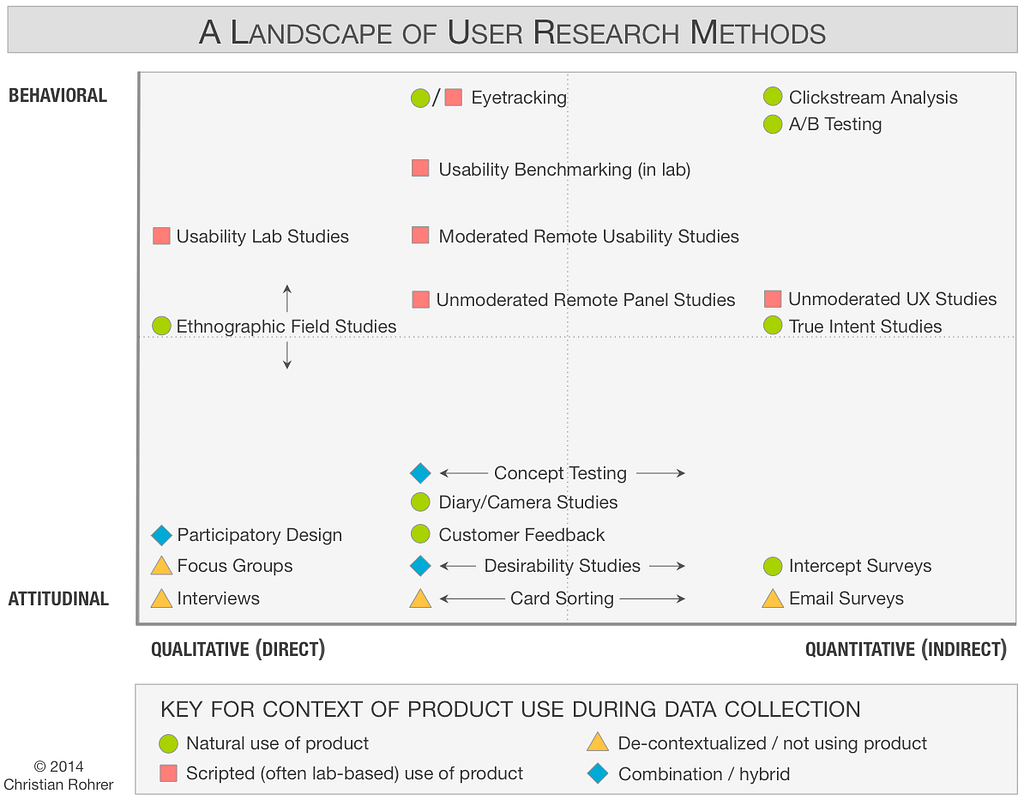
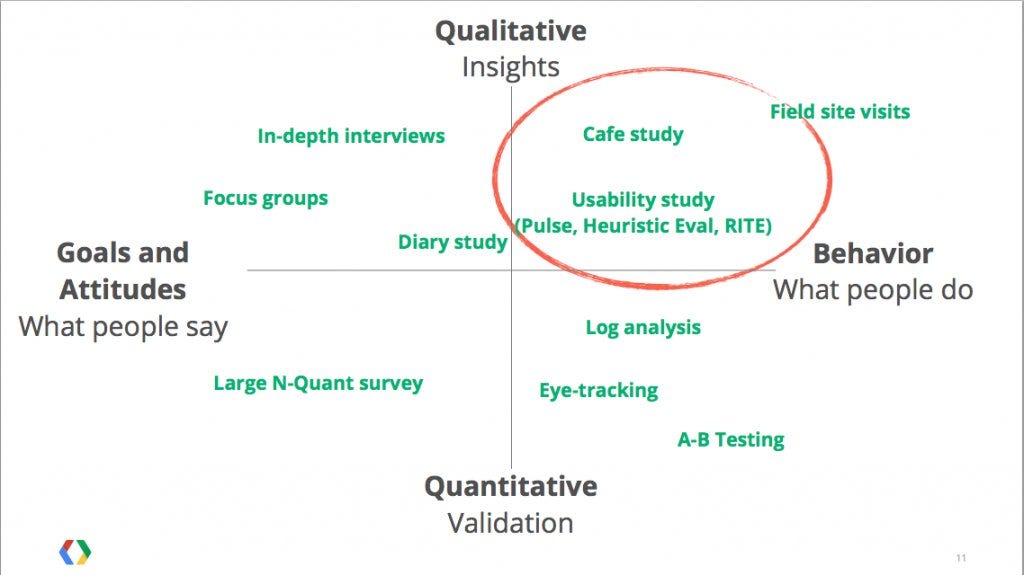
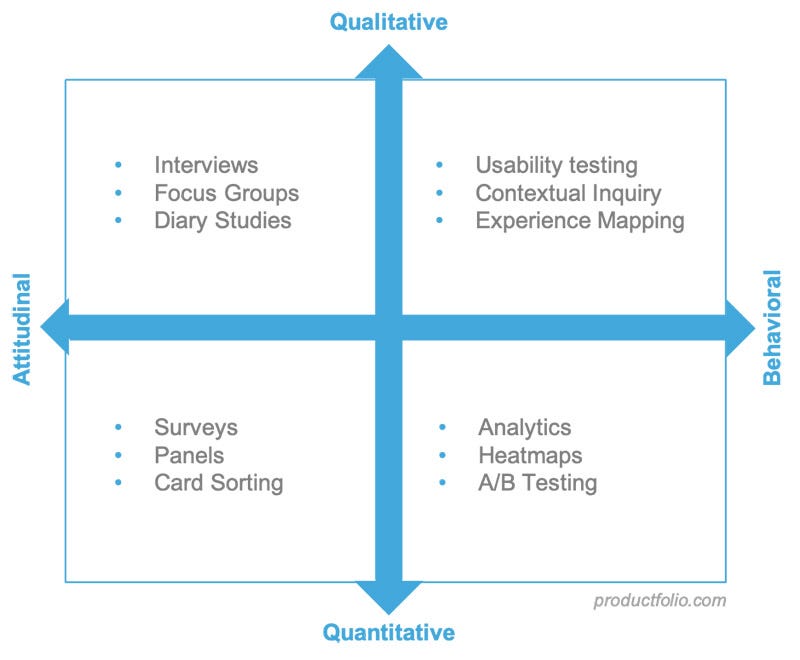
The best way to think about it: a quadrant built from two overlapping spectrums.
- attitudinal to behavioral insights
- qualitative to quantitative data
Each method sits somewhere on that map and is useful in a different way. So when we casually say "user testing," we mean a whole universe of research methods that produce a spectrum of insights.
Usability studies
Usability studies are a focused zone of product research: they depend on capacity and talent to build a prototype, and they work best with a predefined set of questions.
The most traditional method, usability studies observe users interacting with a software prototype. We know a few things about them:
- The prototype is either high-fidelity, fooling the user into thinking it's a live product, or low-fidelity, drawing only high-level feedback on how the user imagines using it.
- Quantitative data comes from things like which UI elements were easy to spot, quick to understand, and whether the user could solve their problem.
- Qualitative data comes from the user's reaction, confusion and emotional response to the experience.
Those questions are there to crack pesky usability issues and discover new ones.
A/B testing
A/B testing is very different. It needs no in-person time and usually needs data at scale. It belongs in a much broader "clickstream analytics" practice, which is a prime candidate for chasing known-unknowns, more on that below.
List your known-unknowns
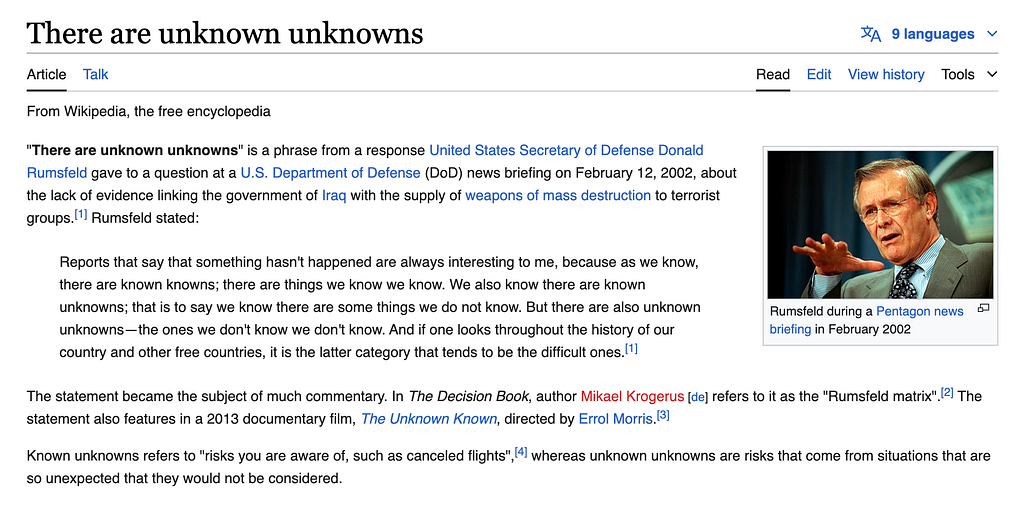
Too often teams start product research with whatever method they associate with "user testing," instead of mapping the landscape of known-knowns and known-unknowns and then defining a strategy to fill the gaps. (Dare I invoke the memory of the early 2000s?)
Start by listing the questions you want answered about your users and product. Which do we think we already understand, and how confident are we? For example:
- Does the home page make sense?
- Do users know where to find a given function?
- Will they notice this piece of UI?
- Why are they primarily using our app?
- How does this feature make them feel?
- Does our brand feel positive in this moment?
What we're really finding out is which questions suffer from a missing answer or an incorrect answer.
Document the questions
Document the open questions, generally in a spreadsheet, with our current answer to each (yes, no, etc.) and a confidence rating.
Example: Does our home page make sense? Product team answer: yes. Confidence (1 to 10): 8.
| Question | Our answer | Confidence (1 to 10) | Priority | Method |
|---|---|---|---|---|
| Does our home page make sense? | Yes | 8 | (yours) | (yours) |
The design team is 80% sure the home page makes sense. Now run a research exercise to validate that confidence and update the value. Each time you test the question, track the result over time: is this issue improving?
The point is to progressively illuminate our understanding of users and their experience by tracking known questions, rating our confidence, and tracking improvement over time.
The exact workflow depends on the tools your team uses and how much real-time visibility you want.
How to track known-unknowns
Step 1. Collect questions from many sources. Who to ask:
- Designers: build the exercise into the design process. When a designer explores an idea, they document in Figma the concerns and questions they have about comprehension and usability.
- Product managers ask different questions, about product/market fit and business goals.
- The customer relations team has already identified issues and probably holds confident answers about current status.
- Executives may have questions about the product's success.
Then:
- Gather all the questions in a simple spreadsheet to start.
- Assign an answer to each question.
- Assign a confidence rating to each answer (1 to 10).
- Assign a priority to each question, by value or urgency.
- Assign the research exercise best suited to resolving each question.
You now have two paths to product improvement:
- Short term: sort by priority and by which exercises are feasible before upcoming milestones, and run those right away for quick gains.
- Long term: keep the list alive over months and years. Identify which questions should be programmed into app analytics such as Mixpanel right away (see A/B testing above).
The list will keep growing as new questions appear. It can easily convert into a QA testing sheet, and obvious trends in usability and product experience will show up.
The point is to progressively illuminate our understanding of users and their experience by tracking known questions, rating our confidence, and tracking improvement over time.
Let unknown-unknowns in too
Let unknown-unknowns in. As you fill the gaps, you'll find insights you never expected. Those are more than a bonus. They're the unknown-unknowns you expected to exist but hadn't yet identified.
Those are more than a bonus. They're the unknown-unknowns you expected to exist but hadn't yet identified.
Methods like user interviews are great for surfacing these dark spots in product awareness, and you should use them on purpose.
A plan of attack
You now have a coherent, simple method for product research. This live tracking of known-knowns and known-unknowns can even be shown on a company dashboard for everyone to monitor and contribute to. It collects and organizes product concerns for clear action and measurable improvement. I hope it serves you well.
Next: see how I think about research as part of product thinking in Research notes, or read how design teams find quality gains in the work already in motion in Designing for Product Opportunities.